01
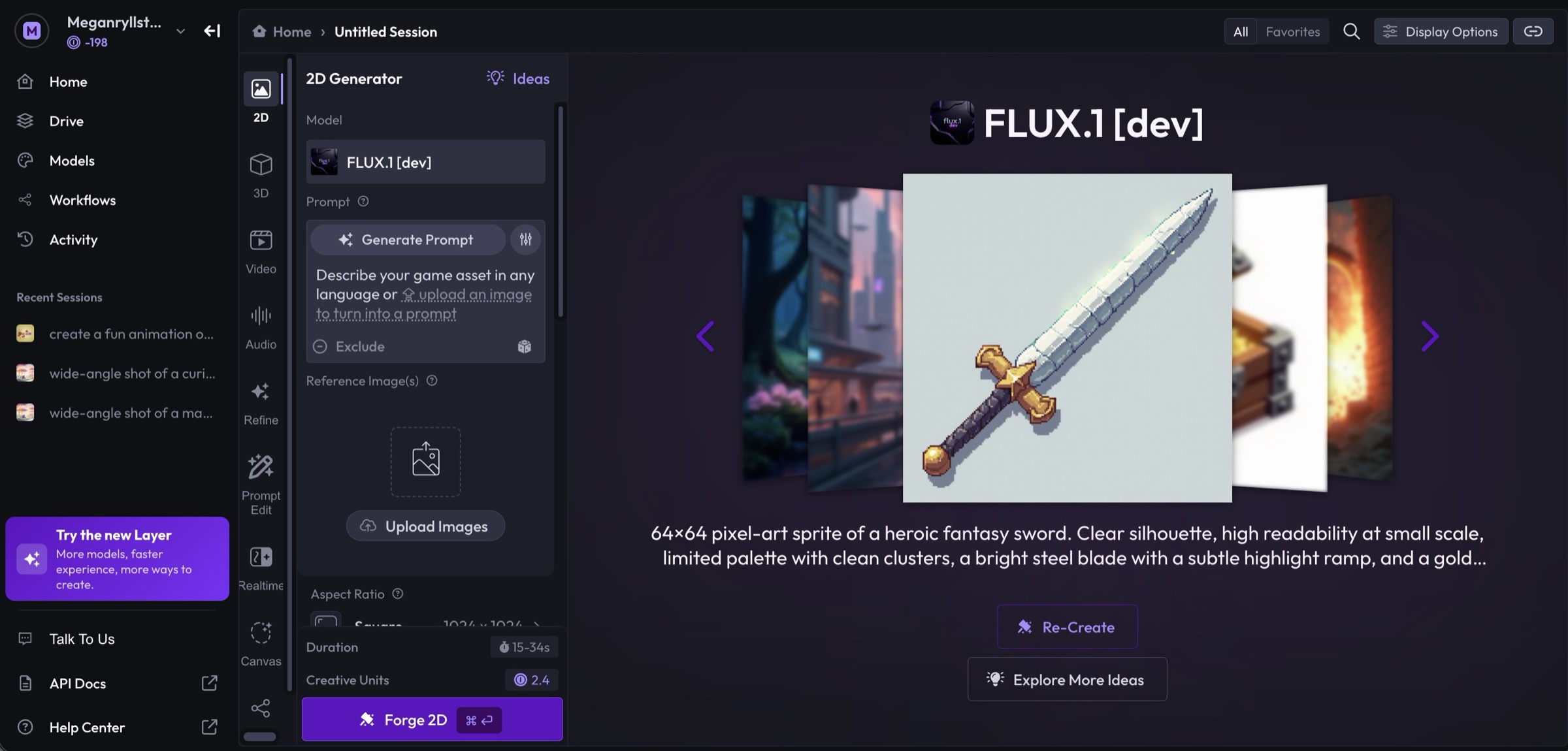
It started as dense forms.
The original Layer gave every AI model its own form: prompt, reference images and strength sliders, on a separate screen for each type of asset.
Experts were fast. New users were overwhelmed, and turning an image into a video meant switching screens.
02
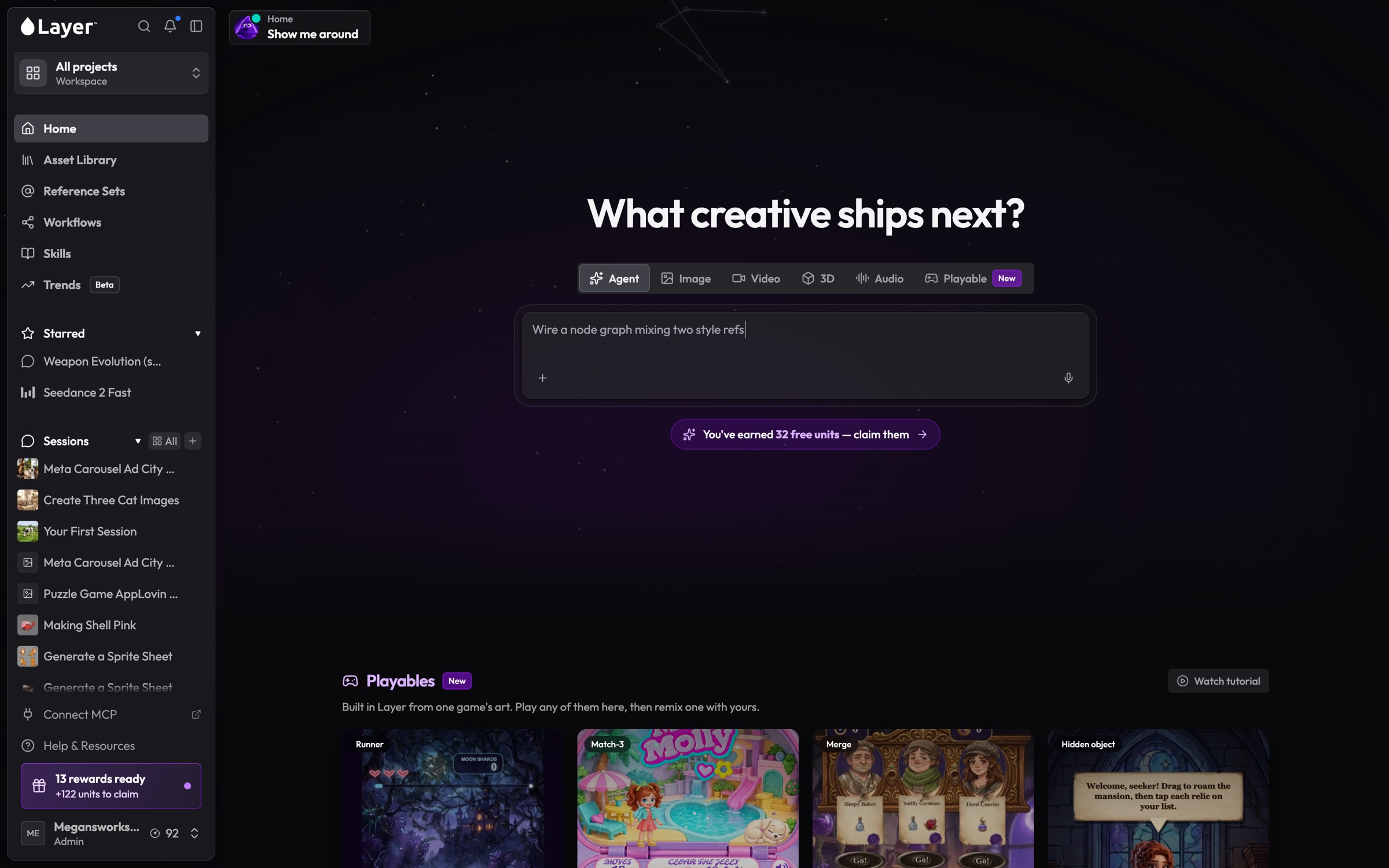
Then it became one chat box.
We rebuilt Layer around an AI agent. You describe what you need, and it creates assets on a shared board.
I set the direction for the home page, the boards, and how chat and canvas work together, and shipped much of it myself.
What went wrong
An empty chat box only works if you already know what to ask.
New users didn't know what Layer could do: 47 tools were hidden behind a text field.
Experts got slower. A one-click upscale became a typed request and a wait, and settings like aspect ratio are easier to pick than to describe.
03
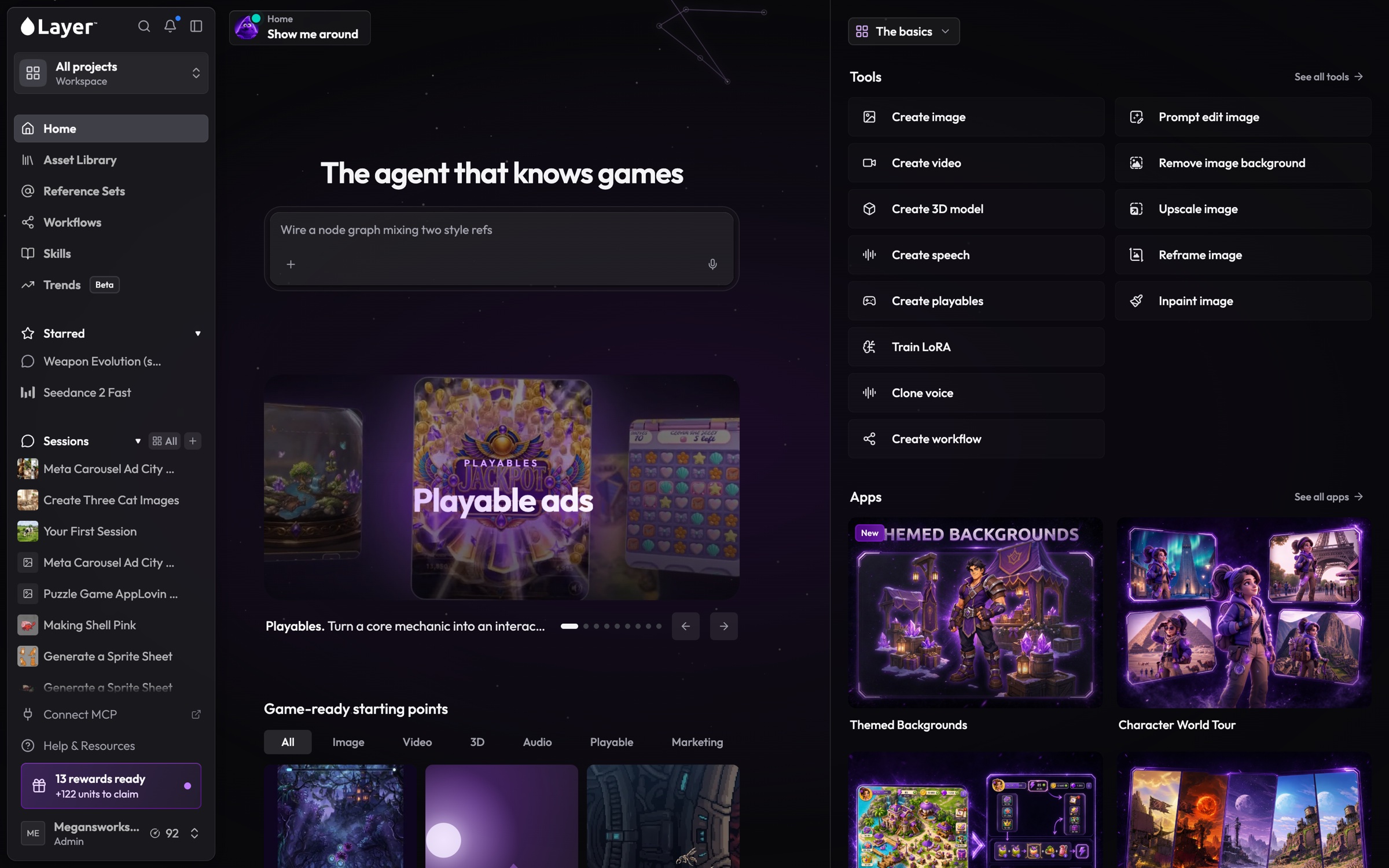
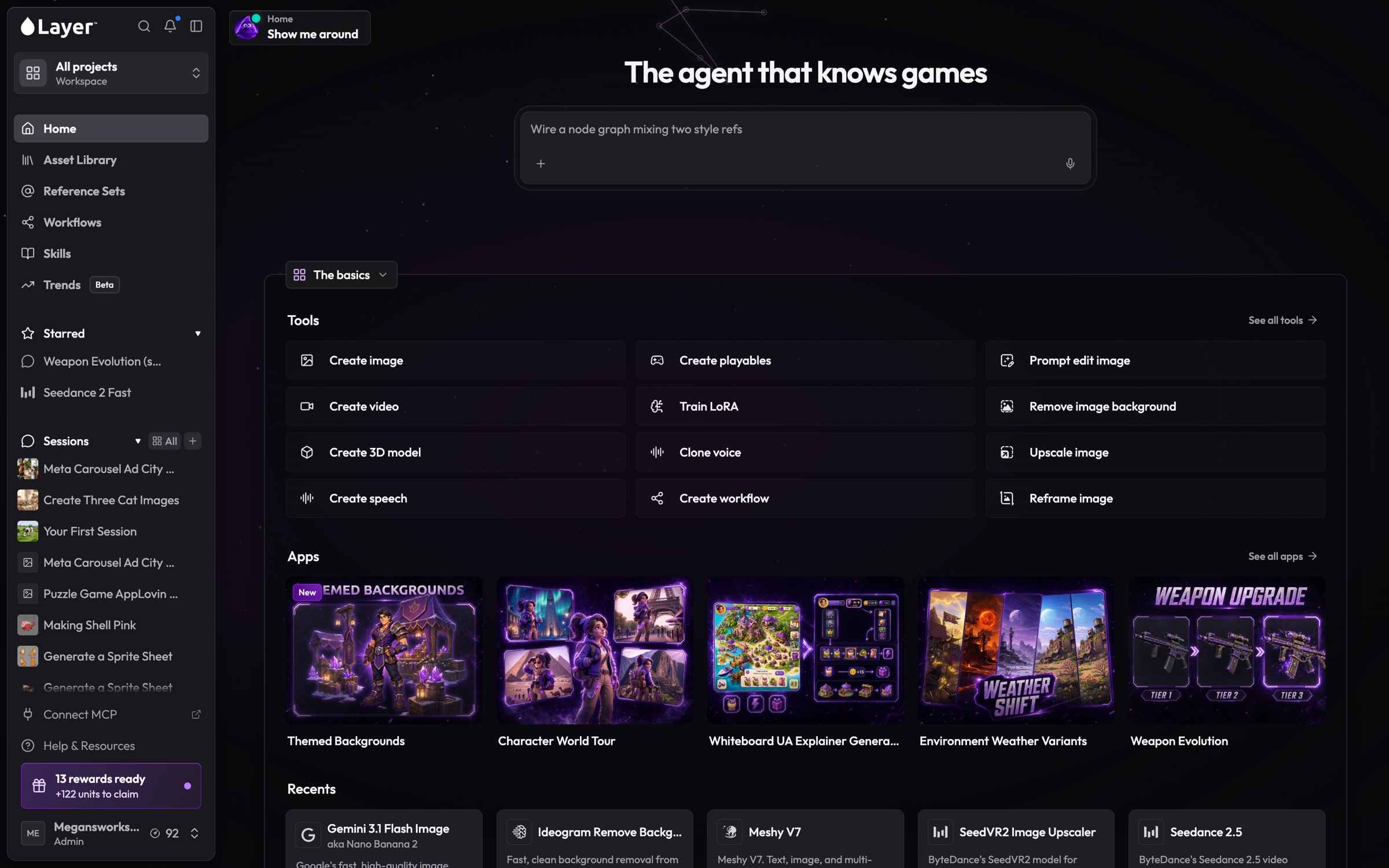
Bring the tools back.
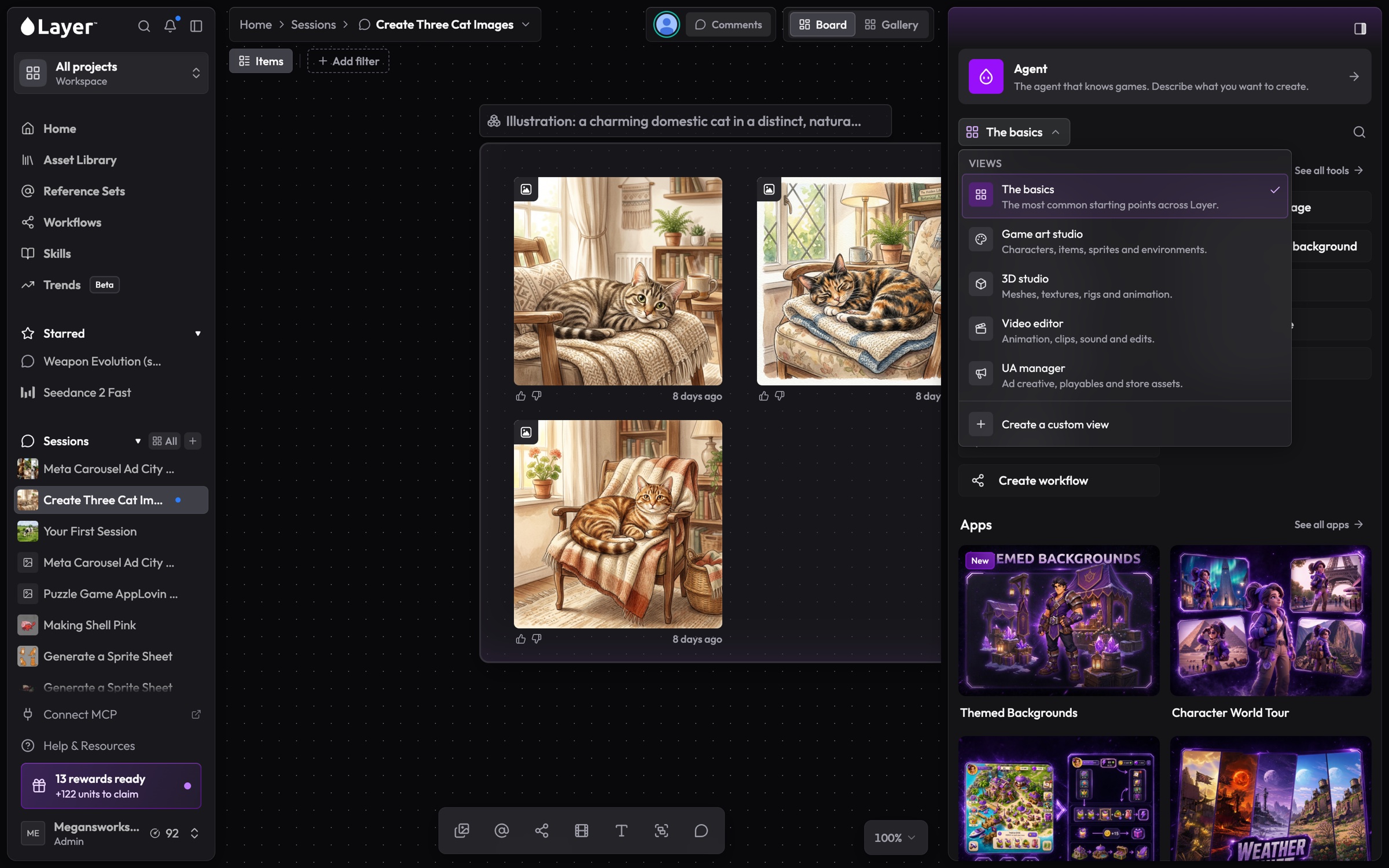
The agent stays at the top. The tools return as a side panel you can customise.
Rather than guess which home page works best, we're A/B testing three. Each team sees one version, so colleagues always see the same thing.
04
A toolbox for your role.
Presets for game art, 3D, video and ad creative show just the tools each role needs. Anyone can build their own.
Each tool opens beside your work, and its results land on the same board as the agent's.
05
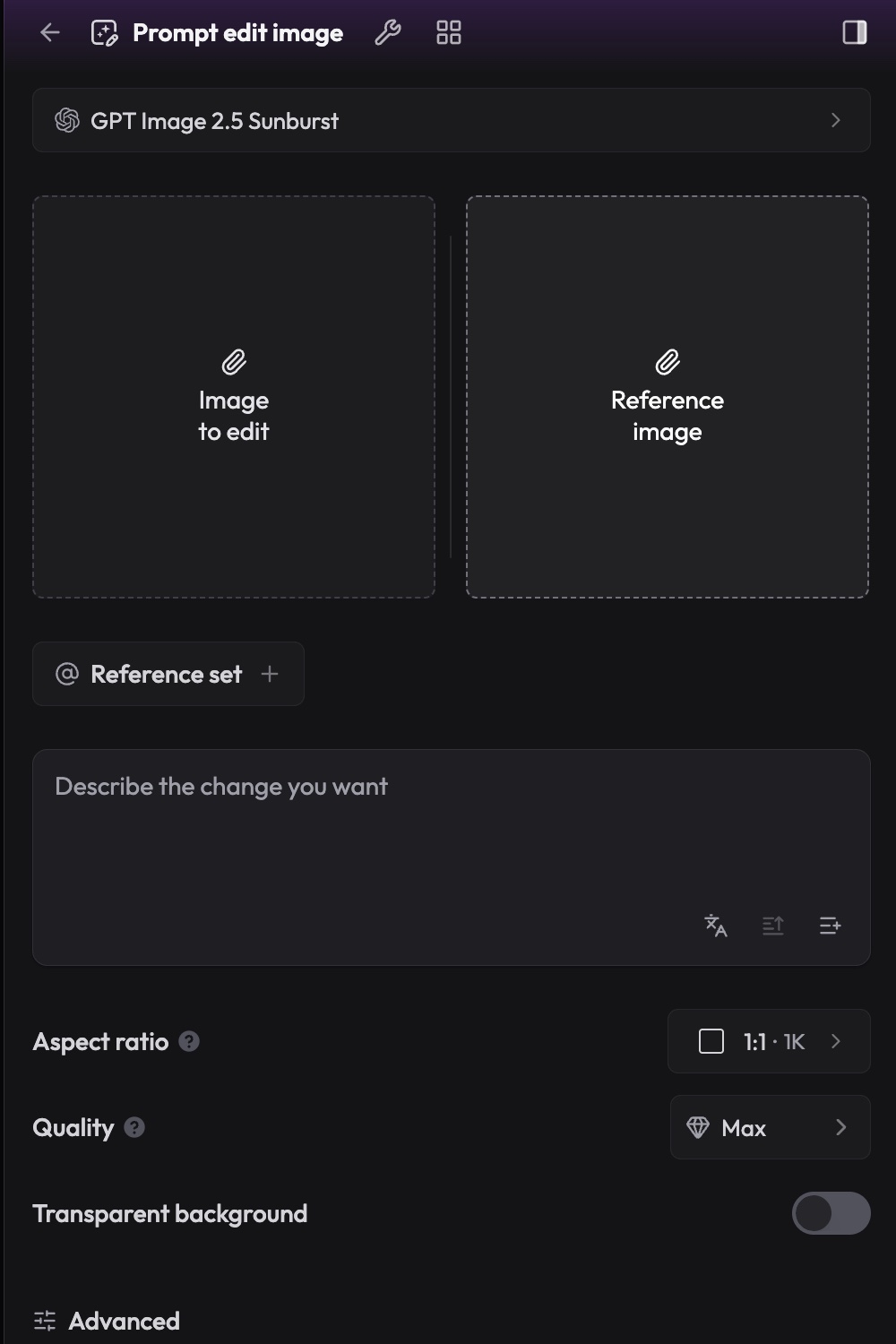
Forms you can read at a glance.
What you're making, your prompt and images, gets the space. Settings like model and quality sit back as small buttons.
Image slots resize to fit the panel and wrap before they get too small to read.
06
A design system AI can follow.
Much of Layer's code is now written with AI coding assistants, including by me. The design rules and component docs live where those assistants look, so new screens reuse real components instead of one-offs.